Table of Contents
- The Password Problem Nobody Solved for 50 Years
- What a Passkey Actually Is, Without the Technical Jargon
- How the Cryptography Works: Public Keys, Private Keys, and Why This Is Unbreakable
- Passkey vs Password vs 2FA: The Real Comparison
- Where You Can Already Use Passkeys Right Now
- The Numbers: 800 Million Google Accounts, 175 Million Amazon Users, and a 120% Jump at Microsoft
- Why Your Bank Is Killing the SMS Code in 2026
- How to Set Up Your First Passkey: Step by Step
- The Questions Everyone Asks (Answered Honestly)
- Should You Switch? The Honest Answer
The Password Problem Nobody Solved for 50 Years
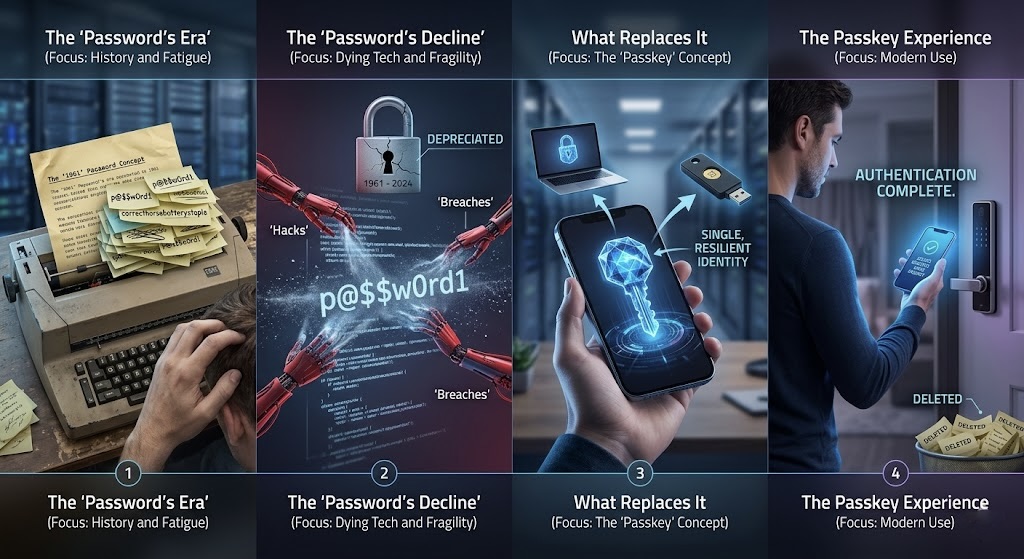
Fernando Corbató invented the computer password at MIT in 1961. He used it to let multiple researchers share a single computer without seeing each other’s files. It was a temporary solution to a specific local problem. Corbató himself, in interviews before his death in 2019, described passwords as a “nightmare” and said maintaining them was “really hard.” He kept his own in a printed notebook. The man who invented the password did not trust his memory with them either.
Sixty-five years later, the average person has over 100 online accounts. The average password is reused across four different sites. In the last year alone, more than 35 percent of consumers had at least one account compromised because of password vulnerabilities according to the FIDO Alliance’s 2025 global survey. Nearly half of consumers have abandoned a purchase because they forgot the password for that particular site. The system invented as a temporary solution to a 1960s problem is still the primary way 5 billion people authenticate online, and it is still fundamentally broken.
Passkeys are the first real replacement for passwords that has a genuine chance of becoming universal. Not because they are convenient, though they are. Not because major companies are pushing them, though they are. But because the underlying design removes the specific vulnerabilities that have made passwords fail for decades, in a way that no amount of “make your password stronger” advice ever did.
What a Passkey Actually Is, Without the Technical Jargon
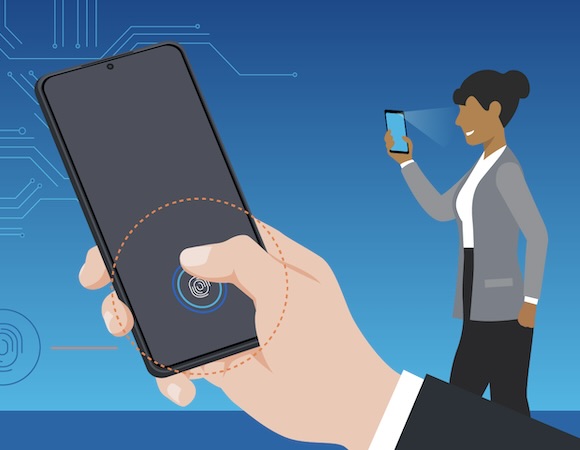
A passkey is a login credential that uses your device, your fingerprint, your face, or your PIN to prove who you are, rather than a string of characters you have to remember and type. When you create a passkey for a website, your device generates a unique cryptographic key pair and stores the private half securely. The website keeps the public half. When you log in, the website sends a challenge, your device signs it with your private key, and access is granted. You never see any of this happening. From your perspective, you tap the fingerprint sensor or glance at the camera and you are in.
There is no password to remember. There is no password to forget. There is no password to reuse on other sites. There is no password to have stolen in a data breach. There is no password to be tricked into entering on a fake login page. All of the attack vectors that make passwords fundamentally insecure are absent because there is no shared secret being transmitted anywhere.
The analogy that 1Password’s head of developer relations Nick Steele uses is helpful: a passkey is like a physical key that only works on one specific door, that cannot be copied, and that your phone holds on your behalf. You do not need to know what the key looks like or how the lock works. You just use your fingerprint to prove the key is yours and it opens the door.
How the Cryptography Works: Public Keys, Private Keys, and Why This Is Unbreakable
The technical foundation of passkeys is public key cryptography, the same mathematics that secures HTTPS connections, cryptocurrency transactions, and end-to-end encrypted messages. Understanding it at a basic level helps explain why passkeys are genuinely more secure than any password-based system rather than just marginally better.
When you create a passkey, your device generates two mathematically linked keys at the same time. The public key is uploaded to the website you are registering with. The private key is stored in a secure enclave on your device, a special chip that is specifically designed to make the private key impossible to extract even if someone has physical access to your device. The two keys are linked by a one-way mathematical relationship: the public key cannot be used to derive the private key, no matter how much compute you throw at it.
When you log in, the website sends your device a random challenge, essentially a unique puzzle generated for that specific login attempt. Your device uses your biometric authentication or PIN to unlock the private key, signs the challenge with it, and sends the signed response back. The website verifies the signature using your public key. If it matches, you are authenticated. If it does not match, access is denied.
The reason this is not phishable is specific and worth understanding. A phishing attack works by tricking you into entering your password on a fake version of a website. The fake site collects your password and uses it on the real site. With passkeys, there is no password to collect. The signed challenge is specific to the domain name of the website and is cryptographically tied to it. A fake site at “g00gle.com” cannot receive a signed challenge meant for “google.com” because the domains are different and the signature verification will fail. Even if you are tricked into visiting a fake site, there is nothing useful for the attacker to capture.
The FIDO Alliance, the industry consortium that developed the passkey standard, calls this phishing resistance the core security property that passwords and even most two-factor authentication systems cannot provide. A text message code can be intercepted or socially engineered. A passkey cannot be, by design.
Passkey vs Password vs 2FA: The Real Comparison
| Feature | Password Only | Password + SMS 2FA | Password + Authenticator App | Passkey |
|---|---|---|---|---|
| Phishing resistant? | No | No (SMS interceptable) | Partially (codes can still be phished in real time) | Yes, by cryptographic design |
| Stolen if site is breached? | Yes (hashed passwords cracked over time) | Yes (password stolen) | Yes (password stolen) | No (only public key stored, useless without your device) |
| Requires memorization? | Yes | Yes | Yes | No |
| Can be reused across sites? | Yes (common bad practice) | Yes | Yes | No (unique per site by design) |
| Login speed | Slow (typing) | Slowest (typing + waiting for code) | Slow (typing + opening app) | Fastest (biometric tap, up to 17x faster per TikTok data) |
| Works if you lose your phone? | Yes | No (SMS to lost phone) | Depends on backup | Yes (if synced to iCloud/Google/password manager) |
| Government regulatory status 2026 | Increasingly disallowed in regulated industries | SMS OTP banned in UAE banking, discouraged by FBI/CISA | Acceptable but not preferred | Required by NIST SP 800-63-4 for high-assurance systems |
Where You Can Already Use Passkeys Right Now
Passkeys are not a coming feature or a beta experiment. They are live on the platforms most people use every day, and the adoption numbers have accelerated faster than most analysts predicted.
Google has had passkey support since 2022 and now reports over 800 million accounts using them. They are available for all personal Google accounts including Gmail, YouTube, Google Drive, and Google Photos. The setup takes about sixty seconds and works on any Android device, iPhone, Mac, or Windows PC with a fingerprint reader or face recognition.
Apple introduced passkeys in iOS 16, macOS Ventura, and iPadOS 16 in 2022. They sync through iCloud Keychain across all your Apple devices automatically. iOS 26, released in September 2025, added the Credential Exchange feature that allows passkeys stored in Apple’s system to be transferred to third-party password managers, which was a significant improvement to Apple’s previously closed ecosystem approach. iCloud passkeys work on iPhone, iPad, Mac, and can be used on Windows and Android through a QR code scan.
Microsoft made passkeys the default sign-in method for all new Microsoft accounts in May 2025. That single policy change produced a 120 percent increase in passkey authentications according to the Dashlane 2025 Passkey Power 20 report. Microsoft accounts include Outlook, Xbox, Teams, and Windows login. You can set up a passkey for your Microsoft account through the account security settings and then use Windows Hello, Face ID, or Touch ID to sign in.
Amazon reached 175 million users creating passkeys in the first year after launching support. Amazon represents 39.9 percent of all passkey authentications tracked in Dashlane’s dataset, making it by far the most-used passkey platform globally by volume. If you buy things on Amazon, setting up a passkey is the single most impactful security improvement you can make to your account today.
Beyond these major platforms, the FIDO Alliance’s 2025 data shows that 48 percent of the top 100 websites now offer passkey login, more than double the number that did in 2022. GitHub, PayPal, eBay, Best Buy, Home Depot, Target, Coinbase, and dozens of others all support passkeys. The service Passkeys.io maintains an up-to-date directory of which sites support them if you want to check before looking for the option yourself.
The adoption numbers in one place: Google: 800 million+ passkey accounts. Amazon: 175 million users created passkeys in year one. Microsoft: 120% increase in passkey authentications after making them the default for new accounts. Gemini (crypto exchange): 269% increase after requiring passkeys for all users in May 2025. TikTok: passkeys achieve 98% login success rates and reduce login time up to 17x. Air New Zealand: 50% reduction in login abandonment. All sourced from Dashlane 2025 Passkey Power 20 and the FIDO Alliance Passkey Index.
The Numbers: 800 Million Google Accounts, 175 Million Amazon Users, and a 120% Jump at Microsoft
The Passkey Index, published in late 2025 by the FIDO Alliance and Liminal using data from Amazon, Google, Microsoft, NTT DOCOMO, PayPal, TikTok, and Target, provides the most comprehensive picture of where passkey adoption actually stands. Of all user accounts across the participating companies, 93 percent are now eligible for passkey sign-ins. Of those eligible accounts, 36 percent have enrolled a passkey. And 26 percent of all sign-ins across these platforms are currently completed using passkeys rather than passwords.
The business outcomes that come with those numbers are the reason enterprises are accelerating their own deployments. Passkeys boost conversion success by 30 percent according to the same FIDO and Liminal study, meaning more users successfully complete a login attempt compared to password-based flows. Help desk tickets for password resets drop significantly, with one of the frequently cited enterprise benefits being reduced operational costs. Password usage in organizations dropped 26 percent after passkey deployment according to HID and FIDO Alliance’s enterprise survey of 400 UK and US companies with more than 500 employees. That same survey found 87 percent of those companies have either successfully deployed passkeys or are currently in deployment.
The consumer awareness data has also shifted. Three years ago, most people had never heard the word passkey. By the FIDO Alliance’s 2025 World Passkey Day survey, 75 percent of global consumers were aware of passkeys. Among those who had used them, 53 percent believed passkeys were more secure than passwords and 54 percent found them more convenient. That combination, more secure and more convenient, is rare in security technology. Usually you trade one for the other. Passkeys being better on both dimensions at once is a large part of why adoption is accelerating rather than stalling.
Why Your Bank Is Killing the SMS Code in 2026
If your bank has recently been prompting you to set up a new authentication method and seems determined to get rid of the six-digit code it texts you, that is not an accident. A significant regulatory shift happened in 2025 that is now forcing financial institutions worldwide to phase out SMS-based authentication entirely.
The UAE Central Bank issued a directive in June 2025 requiring all licensed financial institutions to eliminate SMS and email one-time passwords by March 2026. Banks in the UAE began the transition in July and most major institutions completed it by the end of 2025. The United States Patent and Trademark Office discontinued SMS authentication on May 1, 2025. The Financial Industry Regulatory Authority followed in July. The FBI and CISA both issued advisories in 2025 explicitly warning against SMS for authentication.
NIST, the US standards body, published the final version of Special Publication 800-63-4 in July 2025. This version made phishing-resistant authentication a requirement rather than a recommendation. The specific language changed from “should” to “must” for multi-factor authentication at the AAL2 level. SMS one-time passwords, which can be intercepted through SIM swapping attacks and real-time phishing, do not qualify as phishing-resistant under the NIST framework. Passkeys, FIDO2 hardware security keys, and hardware-backed authentication qualify. Standard passwords and SMS codes do not.
SIM swapping, where an attacker convinces a mobile carrier to transfer your phone number to a new SIM card they control, has been responsible for some of the largest individual financial losses from cybercrime in recent years. The attack specifically targets SMS-based authentication because once the attacker controls your phone number, they receive every SMS code sent to it. Passkeys eliminate this vulnerability entirely because there is no code to intercept and no phone number to hijack. The private key never leaves your device, so there is nothing for a SIM swap to compromise.
How to Set Up Your First Passkey: Step by Step
The specific steps vary slightly by platform, but the general process is consistent enough across major services that walking through it once gives you the pattern for everything else.
Setting up a passkey on Google: Go to myaccount.google.com, select Security from the left menu, scroll to “How you sign in to Google,” and find the Passkeys section. Click “Use passkeys” and follow the prompts. Your browser will ask you to verify your identity using your device’s biometric sensor or PIN. Once confirmed, the passkey is created and linked to your Google account. The next time you sign in on any device, you can tap “Use passkey” instead of entering your password.
Setting up a passkey on Apple ID: On iPhone or iPad, go to Settings, tap your name, then Password and Security, then Passkeys. You will be prompted to verify with Face ID or Touch ID. On a Mac, go to System Settings, click your name, then Password and Security, then Passkeys. The passkey syncs automatically to all your signed-in Apple devices through iCloud Keychain.
Setting up a passkey on Amazon: Go to amazon.com/a/settings/approval, sign in with your current password if prompted, look for “Passkey” in the account security settings, and follow the setup flow. Amazon’s passkey setup prompts you through the process clearly and takes under two minutes.
Using a passkey on a new device or a device without biometrics: When you sign in on a new device, you will see a QR code option. Scan the QR code with your phone, authenticate on your phone using Face ID or fingerprint, and the new device is authorized. This works even when the new device itself does not have biometric hardware, because your phone acts as the authenticator. You only need to do this once per device. After that, the new device can create its own passkey directly.
The most important practical point: passkeys sync automatically if you use iCloud Keychain on Apple devices, Google Password Manager on Android or Chrome, or a password manager like 1Password, Dashlane, or Bitwarden that has added passkey support. You do not need to set up the passkey separately on every device. Set it up once and it follows you.
The Questions Everyone Asks (Answered Honestly)
What happens if I lose my phone? If your passkeys are synced to iCloud, Google Password Manager, or a cross-platform password manager, they are available on any device you sign into with the same account. Losing your phone does not mean losing your passkeys, the same way losing your phone does not mean losing your iCloud Photos. If you use device-bound passkeys that are only on the lost device, you will need to use an account recovery method to add a new passkey on your new device. This is why synced passkeys are recommended over device-bound ones for most personal use.
Can passkeys be hacked? The cryptographic foundation of passkeys has no known practical attack. There is no passkey equivalent of a data breach exposing millions of credentials, because websites only store your public key, which is useless without the private key on your device. A targeted attack on your specific device is theoretically possible, but it requires physical access or a device-level compromise, which is a much harder attack than stealing credentials from a remote database. The private key lives in the device’s secure enclave, specifically engineered to resist extraction even with physical device access.
What if a website I use does not support passkeys yet? You keep using your password for that site until it adds support. Passkeys do not replace passwords everywhere simultaneously. They are an option you add to accounts that support it. Most major platforms already do and the number is growing rapidly. Your password manager can handle both passwords for older sites and passkeys for newer ones without any conflict.
Is this just a tech company thing or will it affect my regular accounts? It is actively affecting regular accounts right now. Amazon, eBay, Target, Home Depot, PayPal, and major banks are all either live with passkeys or actively rolling them out. If you use any of these services, the passkey option likely already exists in your account security settings even if the site has not prominently advertised it.
What is the difference between a passkey and a biometric login? Biometric authentication is the method you use to unlock the passkey. Your fingerprint or face does not travel to the website. It just unlocks the private key on your device, which then performs the cryptographic login. The biometric data stays on your device. The website never sees it. This is meaningfully different from scenarios where you submit a biometric scan to a third-party server for verification.
Should You Switch? The Honest Answer
For every account that supports passkeys and that contains anything you care about, yes, set up a passkey today. The security improvement is real and the setup takes under two minutes per account. The list of reasons to delay is short: the site does not support it yet, which is a legitimate reason and not something you can control, or you use a device ecosystem that does not have good passkey sync, which is increasingly rare in 2026.
The passwordless authentication market reached $24.1 billion in 2025 and is projected to nearly triple to $55.7 billion by 2030 according to AuthSignal. That growth is being driven by regulatory mandates, enterprise security requirements, and genuine consumer demand for something better than passwords. The transition is already underway. The question is not whether passkeys will become the standard but how quickly you personally adopt them.
The practical starting point: go to your Google account, Amazon account, and Apple ID settings this week and set up passkeys on all three. Those three accounts are the most common targets for credential theft and account takeover. Securing them with passkeys takes about five minutes total and removes the vulnerability that has existed in those accounts since the day you created them with a password.
The password that Fernando Corbató invented in 1961 as a temporary solution to a local problem has been failing everyone for six decades. The technology to replace it finally exists, works on every major platform, and takes two minutes to set up. The only thing standing between most people and meaningfully better security is having someone explain it clearly enough to make it worth trying. That was the goal of this article.
Have you already set up passkeys on any accounts? Or do you have a specific account you want to know whether supports them? Drop it in the comments and I will check for you.
References (March 21, 2026):
FIDO Alliance World Passkey Day 2025 Report (75% consumer awareness, 35% accounts compromised by passwords, 47% abandoned purchases, 53%/54% security/convenience preference): fidoalliance.org
Dashlane 2025 Passkey Power 20 Report (Amazon 39.9%, 1.3M authentications/month, 40% users with passkeys, Microsoft 120% increase, Gemini 269% increase): dashlane.com
FIDO Alliance and Liminal Passkey Index (93% accounts eligible, 36% enrolled, 26% sign-ins via passkey, 30% conversion boost): biometricupdate.com
HID and FIDO Alliance enterprise survey (87% companies deploying, 26% password usage reduction): hidglobal.com
AuthSignal: “Passwordless authentication in 2025: The year passkeys went mainstream” (market size $24.1B, UAE banking mandate, NIST SP 800-63-4): authsignal.com
Help Net Security: “Passwordless adoption moves from hype to habit” (Dashlane Power 20 data, Apple iOS 26 CXF, Microsoft default): helpnetsecurity.com
1Password community: “The state of passkeys in 2025” (1B+ passkeys generated, Nick Steele interview): 1password.community
Techpression: “Ditching the password: everything you need to know about passkeys in 2026” (TikTok 17x speed, Air New Zealand 50% abandonment reduction): techpression.com
NIST SP 800-63-4 (phishing-resistant MFA requirement, AAL2/AAL3 specifications): July 2025 final version
A 1961 solution to a 1961 problem has been failing you for six decades.
The replacement is already on your phone. It takes two minutes to set up.



Leave a Reply